Opening a database connection is a boring tasks. But do you know how defaults are determined, if values are omitted? Or, did you know there are two flavours of persistent connections in mysqli? Of course you, as a german reader, know it. I blogged about it in 2009 over at phphatesme.com (Nimmer Ärger mit den Persistenten Verbindungen von MySQL? ) …
Database connections with mysqli
The MySQL server supports the use of different transport layers for connections. Connections use TCP/IP, Unix domain sockets or Windows named pipes.
The hostname localhost has a special meaning. It is bound to the use of Unix domain sockets. It is not possible to open a TCP/IP connection using the hostname localhost you must use 127.0.0.1 instead.
Depending on the connection function used, assorted parameters can be omitted. If a parameter is not given the extension attempts to use defaults values set in the PHP configuration file.
The resulting parameter values are then passed to the client library used by the extension. If the client library detects empty or unset parameters, it may default to library built-in values.
Built-in connection library defaults
If the host value is unset or empty, the client library will default to a Unix socket connection on localhost. If socket is unset or empty and a Unix socket connection is requested, a connection to the default socket on /tmp/mysql.sock is attempted.
On Windows systems the host name . is interpreted by the client library as an attempt to open a Windows named pipe based connection. In this case the socket parameter is interpreted as the pipes name. If not given or empty, the socket (here: pipe name) defaults to \\.\pipe\MySQL.
If neither a Unix domain socket based nor a Windows named pipe based connection is to be bestablished and the port parameter value is unset, the library will default to TCP/IP and port 3306.
The mysqlnd library and the MySQL Client Library (libmysql) implement the same logic for determining defaults.
Connection options
Various connection options are available, for example, to set init commands which are executed upon connect or, for requesting use of a certain charset. Connection options must be set before a network connection is established.
For setting a connection option the connect operation has to be performed in three steps: creating a connection handle with mysqli_init(), setting the requested options using mysqli_options() and establishing the network connection with mysqli_real_connect().
Connection pooling
The mysqli extension supports persistent database connections, which are a special kind of pooled connections. By default every database connection opened by a script is either explicitly closed by the user during runtime or released automatically at the end of the script. A persistent connection is not. Instead it is put into a pool for later reuse, if a connection to the same server using the same username, password, socket, port and default database is used. Upon reuse connection overhead is saved.
Every PHP process is using its own mysqli connection pool. Depending on the web server deployment model a PHP process may serve one or multiple requests. Therefore, a pooled connection may be used by one or more scripts subsequently.
Persistent connections
If no unused persistent connection for a given combination of host, username, password, socket, port and default database can be found in the connection pool, mysqli opens a new connection. The use of persistent connections can be enabled and disabled using the PHP directive mysqli.allow_persistent. The total number of connections opened by a script can be limited with mysqli.max_links. The maximum number of persistent connections per PHP process can be restricted with mysqli.max_persistent. Please note, that the web server may spawn many PHP processes.
A common complain about persistent connections is that their state is not reset before reuse. For example, open, unfinished transactions are not automatically rolled back. But also, authorization changes which happened in the time between putting the connection into the pool and reusing it are not reflected. This may be seen as an unwanted side-effect. On the contrary, the name persistent may be understood as a promise that the state is persisted.
The mysqli extension supports both interpretations of a persistent connection: state persisted and state reset before reuse. The default is reset. Before a persistent connection is reused, the mysqli extension implicitly calls mysqli_change_user() to reset the state. The persistent connection appears to the user as if it was just opened. No artefacts from previous usages are visible.
The mysqli_change_user() function is an expensive operation. For best performance, users may want to recompile the extension with the compile flag MYSQLI_NO_CHANGE_USER_ON_PCONNECT being set.
It is left to the user to choose between safe behaviour and best performance. Both are valid optimization goals. For ease of use, the safe behaviour has been made the default at the expense of maximum performance. Please, run your own benchmarks to measure the performance impact for your work load.
The series Using X with PHP mysqli continues. After notes on calling stored procedures and using prepared statements, its time for a multiple statement quickstart. A mighty tool, if used with care…
Using Multiple Statements with mysqli
MySQL optionally allows having multiple statements in one statement string. Sending multiple statements at once reduces client-server round trips but requires special handling.
Multiple statements or multi queries must be executed with mysqli_multi_query(). The individual statements of the statement string are seperated by semicolon. Then, all result sets returned by the executed statements must be fetched.
The MySQL server allows having statements that do return result sets and statements that do not return result sets in one multiple statement.
$mysqli = new mysqli("localhost", "root", "", "test");
if (!$mysqli->query("DROP TABLE IF EXISTS test") ||
!$mysqli->query("CREATE TABLE test(id INT)"))
echo "Table creation failed: (" . $mysqli->errno . ") " . $mysqli->error;
$sql = "SELECT COUNT(*) AS _num FROM test; ";
$sql.= "INSERT INTO test(id) VALUES (1); ";
$sql.= "SELECT COUNT(*) AS _num FROM test; ";
if (!$mysqli->multi_query($sql))
echo "Multi query failed: (" . $mysqli->errno . ") " . $mysqli->error;
do {
if ($res = $mysqli->store_result()) {
var_dump($res->fetch_all(MYSQLI_ASSOC));
$res->free();
}
} while ($mysqli->more_results() && $mysqli->next_result());
The API functions mysqli_query() and mysqli_real_query() do not set a connection flag for activating multi queries in the server. An extra API call is used for multiple statements to reduce the likeliness of accidental SQL injection attacks. An attacker may try to add statements such as ; DROP DATABASE mysql or ; SELECT SLEEP(999). If the attacker succeeds in adding SQL to the statement string but mysqli_multi_query() is not used, the server will not execute the second, injected and malicious SQL statement.
Prepared statements
Use of the multiple statement with prepared statements is not supported.
PECL/mysqlnd 1.1.2-stable has been released. The mysqlnd replication and load balancing plugin for PHP 5.3/5.4 finally got the download label it deserves: stable, ready for production use! PECL/mysqlnd_ms makes using any kind of MySQL database cluster easier.
The release motto of the 1.1 series is “cover MySQL Replication basics with production quality”, which shows that the plugin is optimized for supporting MySQL replication cluster. But with its feature set it is not limited to. MySQL Cluster users will also profit from it.
Automatic read/write splitting
can be controlled with SQL hints
can be replaced providing callback
can be disabled for MySQL Cluster use
Load Balancing
random (pick for every statement or once per request, latter is default)
round robin (iterate per statement)
can be replaced providing callback
can be controlled with SQL hint
Fail over
optional, automatic connect fail over
Connection pooling
Lazy connections (don’t open before use, default)
The plugin can be used with any PHP MySQL API/extension (mysql, mysqli, PDO_MySQL), if the extension is compiled to use the mysqlnd library. Whatever framework, whatever API you use, it should work out-of-the box. As a library plugin, it operates on its own layer below your application. No or very little application-level changes are required.
PECL/mysqlnd_ms 1.1.1-beta in production use at ihigh.com
Nicholas Solon from ihigh.com, a US high school sports sites contacted us a couple of months ago. We have been very pleased about this. Real-life feedback - feature requests and bug reports - are most welcome. Below is an excerpt from his last mail…
We are finally running 1.1.1-beta from the latest tarball on PHP 5.3.8 with MySQL 5.5.15 on 1 master, 2 slaves (FreeBSD) and using exclusively InnoDB. It’s a production environment, so we’ve been very slow to get this set up, but I’m very pleased with the performance! In this setup, we get about 1.5 million monthly uniques according to Google Analytics. We broadcast live high school sporting events around the US and other parts of the world, so Friday nights are especially load-intense.
(Nicholas Solon, developer at ihigh.com)
From 1.0 to 1.1
The 1.1 version has been significantly re-factored and extended. Many pitfalls on connection state changes have been removed. Connection state changes can happen when switching from one cluster node to another, either for load balancing or for read-write splitting. If you are new to developing software for MySQL replication clusters, please check the concepts section of the manual.
The plugins configuration format is now JSON-based. This was done to prepare for hierarchical and nested configurations. A new filter concept has been introduced. Filters works like small Unix utilities which can be stacked. The manual, which has been extended significantly, explains both in great depth. If you prefer blog posts, check out Replication plugin | filter | conquer = 1.1.0 coming.
What’s next?
Tell us! With the 1.1.0 series we have laid necessary foundations in the code base. From here, we can drive in many directions . We can start to look into Global Transaction IDs, coming to the server soon, or we look into replication table filter rule support, or we refine load balancing rules, or….
A minor, though time-intensive thing we are planning is updating the PHP MySQL documentation.
Starting with PHP mysqli is easy, if one has some SQL and PHP skills. To get started one needs to know about the specifics of MySQL and a few code snippets. Using MySQL stored procedures with PHP mysqli has found enough readers to begin with a “quickstart” or “how-to” series. Take this post with a grain of salt. I have nothing against Prepared Statements as such, but I dislike unreflected blind use.
Using prepared statements with mysqli
The MySQL database supports prepared statements. A prepared statement or a parameterized statement is used to execute the same statement repeatedly with high efficiency.
Basic workflow
The prepared statement execution consists of two stages: prepare and execute. At the prepare stage a statement template is send to the database server. The server performs a syntax check and initializes server internal resources for later use.
The MySQL server supports using anonymous, positional placeholder with ?.
A couple of weeks ago a friend of mine asked me how to use MySQL stored procedures with PHP’s mysqli API. Out of curiosity I asked another friend, a team lead, how things where going with their PHP MySQL project, for which they had planned to have most of their business logic in stored procedures. I got an email in reply stating something along the lines: "Our developers found that mysqli does not support stored procedures correctly. We use PDO.". Well, the existing documentation from PHP 5.0 times is not stellar, I confess. But still, that’s a bit too much… it ain’t that difficult. And, it works.
Using stored procedures with mysqli
The MySQL database supports stored procedures. A stored procedure is a subroutine stored in the database catalog. Applications can call and execute the stored procedure. The CALL SQL statement is used to execute a stored procedure.
Parameter
Stored procedures can have IN, INOUT and OUT parameters. The mysqli interface has no special notion for the different kinds of parameters.
IN parameter
Input parameters are provided with the CALL statement. Please, make sure values are escaped correctly.
$mysqli = new mysqli("localhost", "root", "", "test");
if (!$mysqli->query("DROP TABLE IF EXISTS test") ||
!$mysqli->query("CREATE TABLE test(id INT)"))
echo "Table creation failed: (" . $mysqli->errno . ") " . $mysqli->error;
if (!$mysqli->query("DROP PROCEDURE IF EXISTS p") ||
!$mysqli->query("CREATE PROCEDURE p(IN id_val INT) BEGIN INSERT INTO test(id) VALUES(id_val); END;"))
echo "Stored procedure creation failed: (" . $mysqli->errno . ") " . $mysqli->error;
if (!$mysqli->query("CALL p(1)"))
echo "CALL failed: (" . $mysqli->errno . ") " . $mysqli->error;
if (!($res = $mysqli->query("SELECT id FROM test")))
echo "SELECT failed: (" . $mysqli->errno . ") " . $mysqli->error;
var_dump($res->fetch_assoc());
The free Mysqlnd replication and load balancing plugin now offers load balancing and lazy connections independent of read write splitting. This makes the plugin attractive for MySQL Cluster users. All nodes participating in a MySQL Cluster can serve all requests, they all accept read and write requests. No statement redirection needs to be done. An application using MySQL Cluster has only one task: load balance requests over MySQL frontends (SQL Nodes).
Client
|
|
MySQL frontend (SQL Node)
|
Cluster Node
<>
Cluster Node
<>
Cluster Node
If using the new configuration setting mysqlnd_ms.disable_rw_split=1, the plugin will load balance requests over the list of configured master servers. The term master is borrowed from the primary usage scenario of the plugin, which is MySQL Replication. Don’t get confused by it. Master, slave, MySQL frontend - after all those are just servers participating in a certain kind of database cluster. All three terms refer to nodes in a MySQL database cluster. The closest analogy to a MySQL Cluster SQL node is a MySQL replication master, thus you have to configure a list of "masters", if you want to use load balancing without read write splitting. We didn’t introduce a new name for the server list, that’s all. Remember, that MySQL replication is the primary focus of the plugin.
The example plugin configuration file has two MySQL Cluster SQL nodes configured in the "master" list. The "slave" list is intentionally left empty. The load balancing policy is round robin. The plugin will iterate over the server list whenever a statement is to be executed.
Because the plugins primary usage scenario is MySQL replication, we have to set two PHP configuration settings to make it accept more than one master and to disable read write splitting.
PECL/mysqlnd_ms can be used together with any PHP MySQL API (extension) compiled to use the mysqlnd library. The test script show the use with the two recommended choices, which are mysqli and PDO_MySQL.
This is the final feature addition before the 1.1.x production ready release, planned still this week. The new feature has been documented but it will take a couple of days until the php.net reference manual shows the latest edits.
Would you like to see the EXPLAIN output for all MySQL queries of any PHP application without changing the application much? Easy-peasy: compile PHP to use the mysqlnd library, install PECL/mysqlnd_uh and paste 22 lines of evil code into your auto_prepend_file .
class conn_proxy extends MysqlndUhConnection {
public function query($conn, $query, $self = false) {
if (!$self) {
$this->query($conn, "EXPLAIN " . $query, true);
if ($this->getFieldCount($conn)) {
printf("\tAuto EXPLAIN for '%s'\n", $query);
$res = $this->storeResult($conn);
$r = new MysqlndUhresult();
do {
$row = NULL;
$r->fetchInto($res, $row, 2, 1);
if (is_array($row))
printf("\t\t%s\n", implode(" ", $row));
} while (!empty($row));
$r->freeResult($res, false);
}
}
return parent::query($conn, $query);
}
}
mysqlnd_uh_set_connection_proxy(new conn_proxy());
Not being a PHP hero, I don’t have a PHP application in the cloud to demo how it works. Thus, I wrote a very basic application who serves no other purpose creating a table, inserting some rows and fetching them to demo that the auto EXPLAIN SQL insertion works with any PHP MySQL API: PDO_MySQL, mysqli, mysql. All of them.
$mysqli = new mysqli("localhost", "root", "", "test");
$mysqli->query("DROP TABLE IF EXISTS test");
$mysqli->query("CREATE TABLE test(id INT)");
$mysqli->query("INSERT INTO test(id) VALUES (1), (2), (3)");
$res = $mysqli->query("SELECT t1.id, 'foo', t2.id + 1 FROM test AS t1, test AS t2");
printf("MySQLi has found %d results\n", $res->num_rows);
$pdo = new PDO("mysql:host=localhost;dbname=test", "root", "");
$stmt = $pdo->query("SELECT t1.id, 'foo', t2.id + 1 FROM test AS t1, test AS t2");
printf("PDO has found %d results\n", $stmt->rowCount());
Auto EXPLAIN for 'SELECT t1.id, 'foo', t2.id + 1 FROM test AS t1, test AS t2'
1 SIMPLE t1 ALL 3
1 SIMPLE t2 ALL 3 Using join buffer (BNL, incremental buffers)
MySQLi has found 9 results
Auto EXPLAIN for 'SELECT t1.id, 'foo', t2.id + 1 FROM test AS t1, test AS t2'
1 SIMPLE t1 ALL 3
1 SIMPLE t2 ALL 3 Using join buffer (BNL, incremental buffers)
PDO has found 9 results
Unfortunately I am cheating a bit when writing “easy-peasy”. The basics are really easy. But… please, note that the above is bloody, fresh meat. To toy around with SQL injection that requires fetching result sets, you have to build the development version of PECL/mysqlnd_uh. Please, keep also in mind that PECL/mysqlnd_uh exposes the internal mysqlnd C library interface to the PHP user. The mysqlnd library has been written to be used by C developers. Giving PHP hackers, which are used to garbage collection and other safety belts, access to it was never planned. Inappropriate use may cause memory leaks and crashes.
Use PECL/mysqlnd_uh for debugging and prototyping mysqlnd plugins. Test well before using in mission critical environments. Generally speaking: if your proxy script works once, it should always do. Good enough for your development machine. In production environments, you will usually want to write your mysqlnd plugins in C for performance reasons anyway. Using C has the additional advantage of gaining access to all feature not just those made available by an Internet Super Hero, to have nice examples for a web seminar.
Having said all this, who is the first to identify the line that needs to be changed to make the example leak memory? Give me one line, dear reader. Just one line.
Unfortunately MySQL Proxy was no good source of inspiration today. MySQL Proxy can do many wonderful things which you can do with C based mysqlnd plugins as well. But not with PECL/mysqlnd_uh. PECL/mysqlnd_uh lets you write “plugins” in PHP. Given my desire to demo the power of mysqlnd plugins at the upcoming webinar Succeed with Plugins using PHP examples, I had to extend PECL/mysqlnd_uh to allow result set manipulation. Five brand new lines of magic.
class __mysqlnd_result extends MysqlndUhResult {
public function fetchInto($res, &$rows, $flags, $extension) {
$rows = array("Your mysqlnd has been hacked!");
}
}
mysqlnd_uh_set_result_proxy(new __mysqlnd_result());
The new, yet undocumented and untested built-in class MysqlndUhResult maps to mysqlnd’s internal result class. It is responsible for fetching the data of a result set. It consist of some 20 methods. To get started, I’ve exported MysqlndUhResult::fetchInto which is supposed to read the data of all rows of a result set into the rows variable passed to it by reference. For faking a result set, one assigns an array to the variable. Note, that only the data not the meta data is manipulated.
$mysqli = new mysqli("localhost", "root", "", "test");
$res = $mysqli->query("SELECT 'Enjoy your weekend!' FROM DUAL");
var_dump($res->fetch_assoc());
nixnutz@linux-fuxh:~/php/php-src/branches/PHP_5_4> sapi/cli/php fake.php
array(1) {
[0]=>
string(29) "Your mysqlnd has been hacked!"
}
A typical use case for injecting or manipulating a result is a cache. Please, do not start developing a cache using PECL/mysqlnd_uh. We did that already for you in C. Check out PECL/mysqlnd_qc…
It is the third day I try to find mysqlnd plugin use cases for the Succeed with Plugins webinar on October, 26th. Not being innovative or creative today, I looked into a classic: client fail over. As a trained and talented reader, you won’t be shocked to see 54 lines of PECL/mysqlnd_uh hacking today.
class __mysqlnd_conn_failover extends MysqlndUhConnection {
private $fail_over_errno = array(
2002 => "Can't connect to local MySQL server through socket '%s' (%d)",
2003 => "Can't connect to MySQL server on '%s' (%d)",
2004 => "Unknown MySQL server host '%s' (%d)",
2006 => "MySQL server has gone away",
2013 => "Lost connection to MySQL server during query"
);
private $fail_over_servers = array(
array("host" => "192.168.2.27"),
array("host" => "i_dont_exist"),
array("host" => "127.0.0.1"),
);
private $max_retry = 2;
public function connect($conn, $host, $user, $passwd, $db, $port, $socket, $mysql_flags, $retry = 0) {
printf("\t...connect(host=%s)\n", $host);
$ret = parent::connect($conn, $host, $user, $passwd, $db, $port, $socket, $mysql_flags);
if (($errno = $this->getErrorNumber($conn)) &&
(isset($this->fail_over_errno[$errno])) &&
($retry < $this->max_retry)) {
$retry++;
$idx = mt_rand(1, count($this->fail_over_servers)) - 1;
printf("\t...connect() fail over to '%s'\n",
$this->fail_over_servers[$idx]["host"]);
$ret = $this->connect($conn, $this->fail_over_servers[$idx]["host"],
$user, $passwd, $db, $port, $socket, $mysql_flags, $retry);
}
return $ret;
}
public function query($conn, $query, $retry = 0) {
printf("\t...query(query=%s)\n", $query);
$ret = parent::query($conn, $query);
if (($errno = $this->getErrorNumber($conn)) &&
(isset($this->fail_over_errno[$errno]))) {
$idx = mt_rand(1, count($this->fail_over_servers)) - 1;
printf("\t...query() fail over to '%s'\n",
$this->fail_over_servers[$idx]["host"]);
$this->connect($conn, $this->fail_over_servers[$idx]["host"],
"root", "", "test", 3306, NULL, 0);
$ret = $this->query($conn, $query, $retry);
}
return $ret;
}
}
As before, selected mysqlnd library functions are replaced with PHP functions using PECL/mysqlnd_uh . All three PHP MySQL extensions (mysql, mysqli, PDO_MySQL) can be compiled to use the mysqlnd library. Whenever a PHP user invokes any of API calls provided by the extension, the extensions in turn call zero, one or more calls in the mysqlnd library, depending on the extensions API call in question. By manipulating the behaviour of the mysqlnd library functions, one can make the API calls behave different. No C skills required. Everything is done with PHP. Remember the warning from my first post: this is hackish. But do you care if it does the trick and you cannot change or do not want to the application?
If, for example, your application does not do proper error handling and if it does not implement fail over at the application-level, why not hack it into the library? No application change required. There are good reasons not to do fail over at the library and/or C extension level, but let’s have some hacking fun first, let’s give the elePHPant a swiss army knife!
Support nightmare: a customer reports a random PHP MySQL error. As a support expert you have the strong feeling that it is down to some suspicious SQL sequence. How to proof? 25 lines of PECL/mysqlnd_uh swiss-army knife magic…
prepend.php
class __mysqlnd_logger extends MysqlndUhConnection {
private $protocol;
public function query($conn, $query) {
$ret = parent::query($conn, $query);
if ($errno = $this->getErrorNumber($conn)) {
$this->protocol[] = array(
"query" => $query,
"error" => sprintf("[%d] %s",
$errno, $this->getErrorString($conn)),
"bt" => debug_backtrace()
);
} else {
$this->protocol[] = $query;
}
return $ret;
}
public function getProtocol() {
return $this->protocol;
}
}
$__logger = new __mysqlnd_logger();
mysqlnd_uh_set_connection_proxy($__logger);
The dear customer is convinced that his application, which cannot be modified, is free of faults. The database records hint that there must be something wrong, but where? Easy to find out, if the PHP MySQL extensions are compiled to use mysqlnd library. Let’s hook the mysqlnd library query() function to monitor the SQL and check for error codes, which the app does not do. We kind of create a client-side proxy. If using PECL/mysqlnd_uh this can be done in PHP user space, check yesterdays post for details. Follow yesterday’s pattern: install the PECL extension, save the above to a file named prepend.php and load the script before the application starts using the auto_prepend_file PHP configuration directive.
Create an additional file append.php and load it after the application has finished using the PHP configuration directive auto_prepend_file. Put the following into it. Why not using var_export()? Well, give it a try, it bailed at me about infinite recursion..
Here comes my the customers fancy but faulty PHP application, which is "randomly" failing. Please note, that the monitoring and debugging performed with PECL/mysqlnd_uh does not require any application changes.
application.php
/* Fancy web application using MySQL */
$mysqli = new mysqli("localhost", "root", "", "test");
$mysqli->query("DROP TABLE IF EXISTS test");
$mysqli->query("CREATE TABLE test(id INT)");
$mysqli->query("INSERT INTO test(id) VALUES (1), (2), (3)");
/* customer says this never, ever happens... */
$mysqli->query("DROP TABLE test");
$mysqli->query("SELECT * FROM test");
Finally, let’s put the pieces together. I’m demoing it on the CLI, but its not a big deal to imagine that application.php would be located on a web server and the PHP configuration directives set with -d would be set in the php.ini, is it?
PS: I appologize for having changed URL schema/style before the planets dropped me from their front pages. Due to the new URL schema, the planets show some posts twice. I did not expect that to happen. To avoid further chaos, I won’t switch back to old schema.
Uh, uh… about a year ago Mayflower OpenSource Labs released the mysqlnd user handler plugin (PECL/mysqlnd_uh). The extension lets you extend and replace mysqlnd internal function calls with PHP. Uh, uh… mysqlnd internals exported to user space? Who cares as long as it does the trick?! Let me show you seven lines of PHP code to monitor all queries issued by any PHP MySQL application using any PHP MySQL extension (mysql, mysqli, PDO_MySQL) compiled to use the mysqlnd library.
query_monitor.php
class conn_proxy extends MysqlndUhConnection {
public function query($res, $query) {
debug_print_backtrace();
return parent::query($res, $query);
}
}
mysqlnd_uh_set_connection_proxy(new conn_proxy());
That’s it. Install PECL/mysqlnd_uh and load the above query_monitor.php before your application starts using the PHP configuration directive auto_prepend_file to see all queries issued by your application, including a backtrace. The proof:
> cat foo.php
<?php
$pdo = new PDO("mysql:host=localhost;dbname=test", "root", "");
var_dump($pdo->query("SELECT 1 AS _one FROM DUAL")->fetchAll(PDO::FETCH_ASSOC));
$mysqli = new mysqli("localhost", "root", "", "test");
$mysqli->query("SELECT 1 AS _two FROM DUAL");
> sapi/cli/php -d auto_prepend_file=query_monitor.php foo.php
#0 conn_proxy->query(Resource id #5, SELECT 1 AS _one FROM DUAL)
#1 PDO->query(SELECT 1 AS _one FROM DUAL) called at [foo.php:3]
array(1) {
[0]=>
array(1) {
["_one"]=>
string(1) "1"
}
}
#0 conn_proxy->query(Resource id #8, SELECT 1 AS _two FROM DUAL)
#1 mysqli->query(SELECT 1 AS _two FROM DUAL) called at [foo.php:5]
In preparation for the third and last PHP MySQL webinar, I wrote documentation for PECL/mysqlnd_uh and made the extension compile with PHP 5.4. Get PHP 5.4, get a development version of mysqlnd_uh and give it a try. Both 5.4 and mysqlnd_uh deserve user feedback.
If you happen to use Symfony2, check out https://github.com/gimler/MySQLndUhTool by Gordon Franke. Gordon has integrated the monitoring into Symfony2 EventDispatcher.
Any PHP MySQL application
|
mysql
mysqli
PDO_MySQL
MySQL native driver for PHP (mysqlnd) library
Mysqlnd User Handler plugin (PECL/mysqlnd_uh)
|
MySQL Server
How it works
The mysqlnd user handler plugin provides two PHP classes. The built-in PHP class MysqlndUhConnection is mapped to the mysqlnd C library internal connection class. The built-in PHP class MysqlndUhPreparedStatement gives access to some of mysqlnd’s prepared statement class methods.
*.c
MySQL native driver for PHP (mysqlnd) library
*.c
mysqlnd_conn
mysqlnd_stmt
…
*.c
Mysqlnd User Handler plugin (PECL/mysqlnd_uh)
provides built-in PHP classes
*.php
MysqlndUhConnection
MysqlndUhPreparedStatement
n/a
On the C level, the methods of the built-in classes are installed to be used instead of the original mysqlnd library functions. The classes do nothing but call the original library methods. The built-in classes behave like a transparent proxy. To change the default behaviour of mysqlnd, you have to subclass the two built-in classes and install proxy objects of you derived classes.
Basics: query logging and rewriting
If that sounds confusing, forget about it for now. Get yourself used to the pattern shown in the monitoring example. Its sufficient for basic stuff like monitoring and rewriting. Rewriting? Sure… let’s assume the database schema has been re-factored over the years. You are understaffed and there is a legacy application accessing a renamed table. The application is building SQL dynamically and its hard to locate the source. Ulf helps: rewriting and logging the backtrace.
class conn_proxy extends MysqlndUhConnection {
public function query($res, $query) {
if (FALSE !== stristr($query, "FROM oldtable")) {
$query = str_replace("FROM oldtable", "FROM newtable", $query);
error_log(var_export(debug_backtrace(), true));
}
return parent::query($res, $query);
}
}
mysqlnd_uh_set_connection_proxy(new conn_proxy());
There are many use cases for this little snippet: monitoring, rewriting but also auditing and even SQL injection protection using black- and whitelists is possible. If you are interested in the latter and you have some C skills, check out PECL/mysqlnd_sip. The name mysqlnd_sip stands for mysqlnd SQL injection protection. PECL/mysqlnd_sip is a proof-of-concept. Otherwise, try out mysqlnd_uh. It has been written for no other purpose but making it possible to play with mysqlnd, to prototype plugins with PHP.
PECL/mysqlnd_ms 1.1.0 (download) has been released (documentation)! It is a drop-in solution to add MySQL replication support to any PHP 5.3+ application using any of the PHP MySQL APIs (mysql, mysqli, PDO_MySQL) when compiled to use the mysqlnd library. It extends the mysqlnd library by replication and load balancing funtionality. The mysqlnd library is an optional replacement for the MySQL Client Library (AKA libmysql). The mysqlnd library ships together with PHP as of version 5.3. As of PHP 5.4 the mysqlnd library is a compile time default choice for all three PHP MySQL extensions.
Version 1.1.0 has been significantly re-factored and improved over the previous version. The most significant and visible change is the introduction of a filter concept. Filter take a list of servers and a query statement string as input to pick one or more servers capable of executing the statement. Filters can be chained and you can use them like command line tools which you connect with a shell’s pipe operator: user | random. Check out the blog post Replication plugin | filter | conquer = 1.1.0 coming for details.
Please, note also the significanly extended reference manual which contains a quick start, example, an introduction to the concepts and a referenced part.
PECL calls 1.1.0 as alpha. However, that is not the full story. The alpha is a packaging mistake. 1.1.0 is of beta quality. We have tested it extensively. For example, there number of lines of test code is equal to the number of lines of C code… After a short test out in the wild, we will anounce a production ready version. We are looking forward to hear from you about the 1.1.0 release before we do the production ready version. Just like any PHP 5.4 developer enchourages you to try 5.4 in time. BTW, the plugin also works better with 5.4, see the manual for details. Happy hacking!
The soon to be announced version 1.1.0-beta of the mysqlnd replication and load balancing plugin (PECL/mysqlnd_ms) for PHP introduces a new concept of filters to the plugin. Filters take a list of servers to pick one or more of it. Filters can be chained, similar command line tools. Imagine a future with a filter chain like: user_multi | roundrobin, table_partitioning | random_once, table_partitioning | adaptive_loadbalancer, … For example, user_multi | roundrobin will first invoke a callback and then apply static round robin load balancing to the servers returned by the callback set with user_multi . Or, table_partitioning | adaptive_loadbalancer would first apply replication partitioning rules (db.a -> server_a, db.b -> server_b…) and then a candicate is choosen for statement executions using some sort of adaptive load balancing implemented by the adaptive_loadbalancer…. future music, though!
The filters of 1.1.0
The filter concept is not fully developed in 1.1.0-beta. Foundations had to be laid first. Backward compatibility of the plugins configuration file format was broken between alpha and beta. As of 1.1.0, JavaScript Object Notation (JSON) format is used instead of PHP (php.ini) configuration file format. JSON allows defining hierarchical data structures and is easy to process, thanks to PHPs build in JSON support. Please, follow the links to the mysqlnd_ms manual for details.
Recently I was asked if PECL/mysqlnd_ms should be used to add MySQL replication support to a yet to be developed PHP application. The mysqlnd plugin, which supports all PHP MySQL extensions (PDO, mysqli, mysql), stood up against a classical, simple, proven and fast approach: one connection for reads, one connection for writes. Let’s compare. This is a bit of an unfair challenge, because PECL/mysqlnd_ms was designed as a drop-in for existing applications, not optimized for those starting from scratch, *yell*… The plugin stands up quite well, anyway!
The classical pattern
If starting from scratch you can manually direct all reads to the slaves and all writes to the masters. Use a factory/singleton to create database objects. For database read requests, ask the factory for connection object to a slave. For writes, ask the factory for a connection object to a master. Once the application has requested a connection to a master, always return that master connection, even for reads. It is possible that the application has just written data and wants to read it now. Because MySQL replication slaves can lag behind the master, your application should execute all reads for the rest of the request on the master.
class DBCreator {
static private $connection;
static private $what;
static public function getConnection($what) {
if ("read" == $what) {
if (is_null(self::$connection)) {
self::$connection = new mysqli("slave", "user", "pass");
self::$what = "read";
}
} else {
if (is_null(self::$connection) || ("read" == self::$what)) {
self::$connection = new mysqli("master", "user", "pass");
self::$what = "write";
}
}
return self::$connection;
}
}
Using is straight forward.
$mysqli = DBCreator::getConnection("read");
$mysqli->query("SELECT id, title, short_desc FROM latest_products ORDER BY id DESC");
/* ... */
$mysqli = DBCreator::getConnection("write");
$mysqli->query("INSERT INTO something (id, value) VALUES (1, 'silly example')");
/* goes to the master */
$mysqli = DBCreator::getConnection("read");
$mysqli->query("SELECT id, value FROM something ORDER BY id DESC");
The plugin
Now, the mysqlnd plugin. Instead of creating and deploying a DBCreator class, you install the PECL/mysqlnd_ms extension. Very different, but if you start from scratch it makes no real difference. At the end of the day it may not make much of a difference to either deploy an extension or some library code, because you have automated your deployment anyway. Also, C versus PHP didn’t matter much - at least to the person who asked.
Classic pattern vs. plugin, deployment - 1:1
Fast forward to the code you have to write to do the same as above, if using the plugin.
$mysqli = new mysqli("reply_cluster_config_name", "user", "password", "db");
$mysqli->query("SELECT id, title, short_desc FROM latest_products ORDER BY id DESC");
/* ... */
$mysqli->query("INSERT INTO something (id, value) VALUES (1, 'silly example')");
/* goes to the master if master_on_write configured */
$mysqli->query("SELECT id, value FROM something ORDER BY id DESC");
Obviously the code is a little shorter, a little easier. And, if not starting from scratch but looking for a drop-in solution requiring no code changes, hard to beat. The plugin integrated read-write splitter is basic but could handle this case. All statements which start with SELECT will be executed on a slave. If enabling master_on_write, all read statements will go to the master after the first write. Lazy connections are a plugin default and make sure that no connection is opened before query execution.
Classic pattern vs. plugin, most basic example - 1:2
After a short sprint for PHP 5.4 beta, which is on its way with mysqlnd as a configuration default for all three PHP MySQL extensions, we continued working on the mysqlnd replication plugin (PECL/mysqlnd_ms). Please, find a high level overview presentation further below in this blog post. Because replication support is added at the mysqlnd library level, it is almost transparent from an applications point of view. If you are new to mysqlnd plugins, think of it as a proxy. A proxy that you can drop-in to any existing PHP MySQL application.
Significant progress has been made since the initial alpha release: new powerful configuration syntax, many limitations on lazy connections lifted, countless issues identified and fixed through many new tests . Also, Andrey has refactored the code base to prepare for client-side table partitioning (replication filter) support.
Wie gelingt es wenigen Personen über Jahre hinweg immer wieder Interesse für ihre Vortrage zu wecken? Carola "Sammy" Koehntopp bietet während der FrOSCon 2011 eine PHPopstars-Veranstaltung an. Sie erklärt die Grundmuster hinter erfolgreichen Vorträgen, die gerne besucht werden und bittet einige PHPopstars ihr Können in Kurzvorträgen zu beweisen und sich dem Jury- und Publikumsurteil zu stellen. Ihr Ehemann, Kristian Koehntopp, gewinnt das Casting.
Die Veranstaltung wird so gut angenommen, daß Carola das Format erneut anbietet in Rahmen der PHP Unconference Hamburg 2011. Ein denkwürdiger Ort, der in vergangenen Jahren dominante Superstars sah, denen es gelang, auffallend viel Aufmerksamkeit auf sich zu ziehen.
Kris durfte in Hamburg nicht noch einmal mitmachen. Es bestand Wiederholungsgefahr. Ich war stolz wie Oskar, als ich gefragt wurde, ob ich seinen Platz einnehmen möchte. Nicht als Ehemann natürlich, sondern als Affe auf der Castingbühne. Ich nahm die Herausforderung an, machte mich zum Oberaffen, gab mir selbst Zucker und trat in die Fußstapfen meines Lehrmeisters. Ich gewann das Casting dank "sugar on top".
Seht selbst. Etwas Fantasie ist beim Lesen gefragt, denn eines Popstars gleich, setzte ich auf eine Show und die lässt sich kaum in Worten wiedergeben.
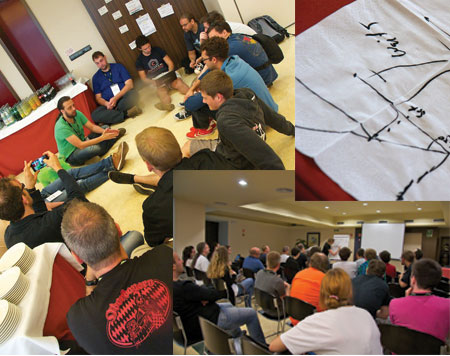
After five years I am still in love with the PHP Unconference Hamburg (Germany), which took place last weekend. On Saturday morning I was as thrilled as if I was going to the first date with a person I had just fallen in love to. Facts: 200 tickets sold in 20 minutes! 350 tickets sold in total, 280 attending. One can’t compare this pure madness with any german PHP (un)conference I have presented at during the past 11 years. The continued success of this local german event makes me break my own tradition of german language only reports. What is so special about this event? What makes it my #1 annual PHP event in Germany?
Unbelievable, unbeatable unconference
Secret number one: the popstars. All the german PHP popstars go there since five years! This year, for example, Pierre Joye (PHP core developer, Mr. Windows), Sebastian Bergmann (PHP expert, book author), Johannes Schlueter (PHP 5.3 release manager), Kristian Koehntopp (general purpose guru at booking.com), Jan Lehnardt (CouchDB), Hartmut Holzgraefe (PHP contributor, MySQL guru) came to Hamburg, to name only a few of the internationally known. Plus, a great number of internationally lesser known experts that can easily compete with the superstars.
Secret number two: is it an unconference. At the beginning of every unconference day, all attendees gather around the "bathtub". People propose sessions of any kind - discussion, presentations, workshops - and start voting. This year, there have been about one hundred proposals to choose between. Because the audience does the selection, only relevant and hot topics win. There is no expert jury making more or less educated guesses on what could be of interest. No sponsor slots.
Secret number three: the price. The ticket price of 30 Euro is affordable to all. Prices are kept extremly low by help of many sponsors (Travian Games, Bigpoint, Mayflower, Cloud Control, Microsoft, Amazon Web Services, Mindworks, TEQneers, ICANS, apprupt, Bytemark Hosting, Estivo). The Department of Informatics, Hamburg University, provides the perfect venue with the "bathtub" in the middle and six surrounding lecture rooms. Food is self-service but yummy and, if it comes to important details, such as the coffee, it is stellar. A wide variety of Open Source (biological, fair-trade) coffee was offered! That was real coffee not hot water as served in many conference centers.
Photo: Jonathan Maron
The mood
Secret number four: the mood. As a developer or team leader you go there to feel home. You are welcomed with a smile, you do not need to dress up, internet connectivity works flawless, good air in all rooms, all the beamers work, you drive the agenda, the evening event is at a beer brewery. And, if you know who to follow not only on Twitter but in real life, you can party around the clock. Hamburg never sleeps especially not the pubs and clubs in St. Pauli.
The biggest secret: the organizers. Take a detailed checklist on how to prepare an unconference and give it to a team of volunteers. Most teams will fail after short time. Only few will teams will be able to organize the event. And, even less teams will be able to repeat their success for five years: 200 tickets in 20 minutes… It needs way more than a checklist to form such a team, to glue them together and to be a long term member.
Invisible to attendees most of the time the megastars ensured - somehow - that people like me call their unconference Germany’s #1 annual PHP event. The megastars made sure that the above listed popstars have a stage to present themselves. This years megastars are:
The PHP replication and load balancing plugin has a configuration setting to run all transactions on the master. But how to detect the start of a transaction? I got a hint to look at a flag in the client-server protocol which tells us, if we are in a transaction. I was not aware of the flag and, I loved the idea when I heard it. The plugin wouldn’t have to worry about how the client starts a transaction. A PHP client can start a transaction by turning off autocommit via API (e.g. mysqli_autocommit()) or executing SQL (BEGIN, START TRANSACTION, SET AUTOCOMMIT=0). It is time consuming to catch them all, if possible at all.
Server status flag from the protocol
I hacked mysqlnd to print the protocol transaction flag after statement execution.
$link = new mysqli("localhost", "root", "root", "test");
$link->autocommit(false);
$link->query("DROP TABLE IF EXISTS test");
$link->query("CREATE TABLE test(id INT) ENGINE=InnoDB");
$link->query("SET @myvar=1");
$link->query("SELECT @myvar");
$link- >query("SELECT * FROM test");
$link->query("INSERT INTO test(id) VALUES (1)");
$link->query("ROLLBACK");
var_dump($link->query("SELECT * FROM test")->fetch_all());
in transaction 0 - SET AUTOCOMMIT=0
in transaction 0 - DROP TABLE IF EXISTS test
in transaction 0 - CREATE TABLE test(id INT) ENGINE=InnoDB
in transaction 0 - SET @myvar=1
in transaction 0 - SELECT @myvar
in transaction 1 - SELECT * FROM test
in transaction 1 - INSERT INTO test(id) VALUES (1)
in transaction 0 - ROLLBACK
in transaction 1 - SELECT * FROM test
array(0) {
}
The test script turns off autocommit using the $link->autocommit() API call. The mysqlnd library makes the SQL statement SET AUTOCOMMIT=0 from it. The server does not set SERVER_IN_TRANS flag in his reply to the client. The script continues and creates a table. The server still does not announce that we are in a transaction, because some statements cause an implicit commit. It takes until after the execution of SELECT * FROM test before the server sets the protocol flag to announce a running transaction.
If the plugin would base its transaction aware load balancing on the protocol flag, it would send SET AUTOCOMMIT=0, DROP TABLE IF EXISTS test, CREATE TABLE test(id INT) ENGINE=InnoDB, SET @myvar=1 to the master, run SELECT @myvar and SELECT * FROM test on a slave before the plugin learns that the previous statement was part of a transaction and the master gets used for INSERT INTO test(id) VALUES (1).
The plugin works better
With todays plugin implementation, everything after $link->autocommit(false) will be considered part of a transaction. Everything will be run on the master until $link->autocommit(true) is run.
The plugin has limits
You can fool the plugin executing SQL to start a transaction such as BEGIN, START TRANSACTION or SET AUTOCOMMIT=0. However, I still prefer that limitation over the protocol flag.
The protocol flag is not suited for transaction aware load balancing. For other applications it may shine. For example, its fantastic for Global Transaction ID injection.
SQL injection is wonderful! MySQL Proxy can do it, mysqlnd plugins - even written in PHP (not Lua or C) - can do it. Global Transaction IDs are wonderful. A mashup of the PHP replication plugin and global transaction ID injection, makes your replication cluster fail-over much smoother and opens up an opportunity for an API to support consistent reads from slaves "immediately" after a write. Less hassle identifying and promoting a new master for fail-over, even better read load balancing - my last proposal for the future of the PHP replication plugin.
What?
Think of a global transaction ID as a unique identifier for a change set in a database cluster. Replicas in the cluster use the global transaction ID to track changes. Because global transaction IDs are unique cluster-wide, you can easily compare the replication progress among the replicas, in particular, if the global transaction ID contains a sequence number.
While Andrey is busy implementing partitioned replication infrastructure code for the PHP replication and load balancing plugin (PECL/mysqlnd_ms), I continued my search for ideas to steal. Mr. Robert Hodges, I’ve robbed the idea of a service level and caching.. If an application is able to function with stale data read from a MySQL replication slave, it can also deal with stale data from a local cache. The replication plugin (PECL/mysqlnd_ms) could, in certain cases, populate the query cache plugin (PECL/mysqlnd_qc) for you and read replies from it.
In the blog posting "Implementing Relaxed Consistency Database Clusters with Tungsten SQL Router" Robert explains from a theoretical standpoint why his product allows application developers to set quality of service. The service level defines if eventual consistency is allowed or not. If so, the system is not required to return current data to all clients. Stale data may be served.
If using MySQL replication for read scale out, dealing with stale data is a standard task. Slaves may lag behind the master and have not the latest updates. Applications must be able to function with stale data. Given that the service level allows stale data, one can replace one stale data source with another. One can replace a MySQL slave possibly lagging behind with a local (TTL) cache.
Any PHP MySQL application
|
|
consistent
eventual consistent
|
|
|
PECL/mysqlnd_ms
|
|
|
|
Cache (PECL/mysqlnd_qc), TTL = 2s
|
|
|
Network
Network
|
|
MySQL master
MySQL slave, lagging 4 seconds
All that needs to be done is combining PECL/mysqlnd_ms, the replication and load balancing plugin, with PECL/mysqlnd_qc, the query cache plugin. Of course, this should be done on the C level, inside the extensions. Ideally, applications using the combination of the two plugins would not need to bother of populating the cache and deciding when to read from it.
mysqlnd_ms_set_service_level($mysqli, MYSQLND_EVENTUAL_CONSISTENT);
$mysqli->query("SELECT id FROM test");
The replication plugin would just know from the service level that queries may be served from the cache. For example, it could automatically decide to cache the SELECT from the example above. Could… this is brainstorming. No promises on features and time lines. I’m fishing for feedback.